
How to Use Zoho CRM Effectively for Small and Medium Businesses (SME Guide)

Introduction
Most small and medium businesses don’t struggle because they lack opportunities—they struggle because they lack structure.
Leads come in from multiple channels, follow-ups are inconsistent, and sales teams often rely on memory instead of a system. Over time, this leads to missed opportunities and slower growth.
That’s where Zoho CRM comes in.
But here’s the reality: simply having a CRM is not enough.
The real difference comes from how you use Zoho CRM effectively for your business.
In this guide, we’ll walk you through how to use Zoho CRM for small and medium businesses in a way that improves sales visibility, increases conversions, and builds a scalable system.
What is Zoho CRM Used For?
Zoho CRM is used by businesses to manage leads, track sales pipelines, automate follow-ups, and improve customer relationships through a centralized system.
For small and medium businesses, it acts as a single source of truth—helping teams stay organized, respond faster, and make better decisions based on real data.
Why Zoho CRM is Ideal for Small and Medium Businesses
Zoho CRM is particularly effective for SMEs because it offers flexibility without overwhelming complexity.
Unlike enterprise-heavy tools, Zoho allows businesses to build processes that match how they actually operate. You can start with a simple setup and gradually introduce automation, reporting, and integrations as your business grows.
However, this flexibility can also lead to poor implementation if there is no clear strategy. Businesses either overcomplicate the system or fail to use its capabilities fully.
The key is to approach Zoho CRM with clarity and structure.
Step-by-Step: How to Use Zoho CRM Effectively
To get real results, Zoho CRM should be implemented in a structured way. Instead of jumping into features, focus on building a system that aligns with your business processes.
Start with clear goals
Before setting up Zoho CRM, define what you want to achieve. This could be improving lead response time, increasing conversion rates, or gaining better visibility into your pipeline.
Clear goals ensure that your CRM setup is aligned with business outcomes.
Map your sales process
Zoho CRM should reflect your real sales journey.
Understand how leads enter your system, how they are qualified, and how they move toward closure. Build your pipeline based on this reality instead of copying generic models.
A simple, well-defined pipeline is far more effective than a complex one.
Set up your CRM structure
Once your process is clear, configure Zoho CRM accordingly.
Define essential fields, create pipelines, and ensure that your system captures only the data that is actually useful. Avoid unnecessary complexity at this stage.
Use automation strategically
Automation in Zoho CRM should reduce manual work, not create confusion.
Start with basic automation such as lead assignment, follow-up reminders, and notifications. These small improvements can have a significant impact on your team’s efficiency.
Ensure team adoption
A CRM system only works when your team uses it consistently.
Make Zoho CRM part of your daily workflow. Train your team based on their roles and help them understand how it benefits their work.
When the system adds value to their daily tasks, adoption happens naturally.
Common Mistakes to Avoid When Using Zoho CRM
Even with the right tool, many SMEs fail to get results because of avoidable mistakes.
One common issue is overcomplicating the system too early. Businesses try to implement advanced workflows before establishing a solid foundation.
Another challenge is poor data quality. Inconsistent or outdated data reduces trust in the system and affects decision-making.
Lack of ownership is also a major factor. When no one is responsible for managing the CRM, usage becomes inconsistent.
Avoiding these mistakes can significantly improve your CRM outcomes.
How Zoho CRM Improves Business Performance
When used effectively, Zoho CRM transforms how businesses operate.
It brings visibility into your sales pipeline, ensures consistent follow-ups, and helps teams prioritize the right opportunities. Instead of relying on assumptions, you start making decisions based on data.
For SMEs, this level of control can directly impact growth. It allows you to identify bottlenecks, improve efficiency, and scale your operations with confidence.
When Should You Consider Zoho CRM Implementation Services?
While Zoho CRM is designed to be user-friendly, many businesses reach a point where they need expert guidance.
If your processes are becoming complex, your team is not adopting the system, or you want to implement automation effectively, it may be time to seek professional help.
Working with experienced Zoho CRM consultants can help you avoid costly mistakes and accelerate your implementation.
How Sietrix Helps Businesses Use Zoho CRM Effectively
At Sietrix, we help small and medium businesses implement Zoho CRM in a way that actually delivers results.
Our approach focuses on aligning the CRM with your business processes instead of forcing your processes into a tool.
We support businesses with Zoho CRM implementation, customization, automation, and adoption strategies—ensuring that the system is practical, scalable, and easy to use.
Conclusion
Zoho CRM has the potential to become one of the most valuable systems in your business—but only when it is used effectively.
It’s not about features. It’s about building a system that your team understands, uses, and relies on.
With the right approach, Zoho CRM can improve efficiency, increase conversions, and bring clarity to your entire sales process.
Ready to Use Zoho CRM the Right Way?
If you’re looking for Zoho CRM implementation services or need help optimizing your current setup, we’re here to help.
Instead of trial and error, get a structured approach tailored to your business.
Get Personalized CRM Guidance
Fill out the form below and our team will get back to you with practical recommendations based on your business needs.
Frequently Asked Questions About Using Zoho CRM
How do small businesses use Zoho CRM effectively?
Small businesses use Zoho CRM effectively by first defining clear sales goals and then aligning the CRM setup with their actual sales process. Instead of overcomplicating the system, they start with a simple pipeline, maintain clean data, and gradually introduce automation for tasks like lead assignment and follow-ups. The key is to make Zoho CRM part of daily operations rather than using it as just a data storage tool.
Is Zoho CRM good for small and medium enterprises (SMEs)?
Yes, Zoho CRM is a strong choice for SMEs because it offers flexibility, scalability, and affordability. It allows businesses to start with a basic setup and expand as their processes grow. Unlike complex enterprise systems, Zoho CRM can be customized without heavy technical expertise, making it ideal for growing teams.
What is the best way to set up Zoho CRM for a small business?
The best way to set up Zoho CRM is to begin with clear objectives, map your sales process, and then configure the CRM accordingly. Businesses should focus on defining pipeline stages, setting up essential fields, and ensuring data quality before adding automation. Starting simple and improving over time leads to better adoption and results.
What are the common mistakes when using Zoho CRM?
Common mistakes include overcomplicating workflows, using poor-quality data, not defining clear processes, and failing to train the team. Another major issue is treating CRM as optional instead of making it a core part of daily operations. Avoiding these mistakes can significantly improve CRM performance.
How long does it take to implement Zoho CRM for SMEs?
The implementation time for Zoho CRM depends on the complexity of the business processes. For small businesses with simple requirements, it can take a few days to a couple of weeks. For more complex setups involving automation and integrations, it may take several weeks. Proper planning can significantly reduce implementation time.
Do I need a consultant to implement Zoho CRM?
Not always. Small businesses with simple workflows can set up Zoho CRM on their own. However, if your processes are complex, require automation, or involve data migration and integrations, working with a Zoho CRM consultant can help you avoid mistakes and achieve better results faster.
CRM Implementation Roadmap: A Complete Guide to Setup, Timeline, Costs & Success Metrics

Introduction
Most businesses don’t struggle with choosing a CRM. They struggle with making it actually work.
On paper, tools like Salesforce, HubSpot, and Zoho promise better visibility, improved sales processes, and faster growth. But in reality, many companies end up with a system that feels complicated, underused, and disconnected from their actual workflow.
The problem isn’t the CRM. The problem is how it’s implemented.
A poorly implemented CRM becomes just another tool your team avoids. A well-implemented CRM becomes the backbone of your revenue operations. This guide is designed to help you do the latter.
By the end of this article, you’ll have a clear understanding of how to approach CRM implementation—from defining goals and structuring your data to automating workflows and driving long-term adoption. Whether you’re starting fresh or fixing a broken system, this roadmap will give you a practical, experience-driven direction.
What CRM Implementation Really Means (And Why Most Businesses Get It Wrong)
CRM implementation is often misunderstood as a technical setup process—install the tool, create a few fields, import contacts, and you’re done.
In reality, it’s much more strategic than that.
It involves aligning your CRM with how your business actually operates: how leads are generated, how sales conversations progress, how customers are onboarded, and how teams collaborate across functions.
Where most businesses go wrong is trying to do too much, too quickly. They over-engineer the system, add unnecessary complexity, and skip the most critical part—adoption.
A successful CRM implementation is not about building the most advanced system. It’s about building a system your team will actually use, consistently.
The CRM Implementation Roadmap (From Planning to Optimization)
Let’s walk through a structured approach that works across industries and CRM platforms.
Step 1 – Start with Business Outcomes, Not Features
Before touching any CRM tool, you need clarity on what you’re trying to achieve.
Are you trying to:
- Improve lead response time?
- Increase conversion rates?
- Gain better visibility into your pipeline?
- Standardize your sales process?
Each of these goals will shape how your CRM is designed.
One of the most effective ways to approach this is to define a small set of measurable outcomes. For example, reducing lead response time from 24 hours to under 2 hours, or improving deal conversion by a specific percentage.
These metrics will guide every decision you make during implementation.
Step 2 – Choosing the Right CRM for Your Business
Not all CRMs are built for the same purpose.
Some are designed for enterprise-level complexity, while others prioritize simplicity and speed.
For example, Salesforce is often a strong choice for organizations with complex workflows and customization needs. HubSpot is widely adopted by growing businesses that want a balance between marketing and sales capabilities. Zoho tends to appeal to companies looking for flexibility with cost efficiency.
The key is not choosing the “best CRM,” but choosing the one that fits your current stage and operational needs.
This is also where many businesses benefit from external guidance—because the wrong choice at this stage can create long-term friction.
Step 3 – Mapping Your Real Sales Process
Before configuring anything inside the CRM, you need to document how your sales process actually works.
This includes understanding:
- Where leads come from
- How they are qualified
- What stages they go through
- What triggers movement between stages
This exercise often reveals gaps, inconsistencies, or inefficiencies that were previously hidden.
Your CRM should reflect reality—not an idealized version of how things should work.
Step 4 – Designing a Clean and Scalable Data Structure
Data is the foundation of your CRM. If it’s messy, everything built on top of it will be unreliable.
At this stage, the focus should be on clarity and simplicity.
Define:
- What information you actually need
- How fields should be structured
- How lifecycle stages are defined
Avoid the temptation to create too many fields or overcomplicate the structure. A lean, well-organized system is far more effective than a complex one that no one understands.
Step 5 – Preparing and Migrating Data
Data migration is one of the most sensitive parts of CRM implementation.
It’s not just about moving data—it’s about improving it.
Before importing anything, take the time to:
- Remove duplicate records
- Standardize formats
- Clean outdated or irrelevant data
A good rule of thumb is: if the data isn’t useful, don’t migrate it.
This is also the stage where having a backup and testing plan becomes essential.
Step 6 – Setting Up Pipelines, Permissions, and Structure
Now comes the actual system configuration.
This includes building:
- Sales pipelines
- Deal stages
- User roles and permissions
This step should focus on creating clarity. Every team member should know exactly:
- What they are responsible for
- What actions they need to take
- What the next step in the process is
Step 7 – Introducing Automation (Without Overdoing It)
Automation is where CRM starts delivering real efficiency.
But it needs to be approached carefully.
Start with a few high-impact workflows, such as:
- Automatically assigning leads
- Triggering follow-up reminders
- Sending notifications for key actions
The goal is not to automate everything, but to remove repetitive tasks that slow your team down.
Step 8 – Driving Adoption Through Training and Simplicity
Even the best-designed CRM will fail if your team doesn’t use it.
Adoption is not about forcing usage—it’s about making the system intuitive and valuable.
This involves:
- Training teams based on their roles
- Showing how the CRM helps them, not just the company
- Keeping processes simple and easy to follow
The easier it is to use, the more likely it is to be used.
Step 9 – Monitoring Performance and Continuously Improving
Implementation doesn’t end at launch.
In fact, that’s where the real work begins.
You need to continuously monitor:
- How often the CRM is being used
- Whether data is being entered correctly
- How your key metrics are performing
Over time, you refine and optimize the system based on real usage and feedback.
How Long Does CRM Implementation Take?
The timeline varies depending on complexity, but most implementations fall into a general range.
A simple setup can take a few weeks, while a more advanced system with integrations and automation may take several months.
What matters more than speed is getting the foundation right. Rushing the process often leads to rework later.
Why CRM Implementations Fail (And How to Avoid It)
One of the most valuable things you can understand is why CRM projects fail.
It rarely happens because of the tool itself.
More often, it’s due to:
- Lack of clear goals
- Overcomplicated setup
- Poor data quality
- No ownership or accountability
- Weak adoption strategy
Avoiding these mistakes can dramatically increase your chances of success.
Where Sietrix Fits In
At this point, many businesses realize that CRM implementation is not just a technical project—it’s a strategic one.
This is where working with an experienced partner can make a significant difference.
At Sietrix, we work with platforms like Salesforce, HubSpot, and Zoho to help businesses:
- Choose the right CRM based on their needs
- Design systems that reflect real workflows
- Set up automation that improves efficiency
- Ensure teams actually adopt and use the system
The focus is not just on implementation, but on building a system that delivers long-term value.
Download Your CRM Implementation Checklist
To make this process easier, we’ve created a detailed CRM implementation checklist that you can use as a reference.
It covers:
- Planning steps
- Data preparation
- System setup
- Adoption strategy
Download the checklist and use it as your roadmap to a successful CRM implementation.
CRM implementation is one of those initiatives that can either transform your business or quietly fail in the background.
The difference lies in how it’s approached.
When done right, it creates alignment, visibility, and efficiency across your entire organization.
When done poorly, it becomes another unused tool.
If you’re planning to implement a CRM—or fix an existing one—the most important thing you can do is approach it with clarity, structure, and the right strategy.
CTA (FINAL)
If you’re unsure where to start or want to avoid costly mistakes:
We’ll help you:
- Evaluate your current setup
- Choose the right CRM
- Build a system your team actually uses
A complete CRM implementation guide covering process, timeline, and best practices. Learn how to implement CRM successfully with expert insights.
Optimizing HubSpot for Scalable Growth: Pipelines, Automation & Lifecycle Strategies That Actually Work

Most Teams Don’t Outgrow HubSpot — They Outgrow the Way It’s Structured
If you’re leading a growing business or managing your tech stack, you’ve likely questioned whether your current HubSpot setup can truly support your next stage of growth.
In most cases, the answer isn’t about replacing HubSpot.
It’s about rethinking how it’s structured.
Early on, things work well. Your team moves fast, pipelines feel manageable, and automation saves time. But as your business scales, complexity increases. What once felt efficient starts to feel fragmented.
You begin to notice subtle but critical gaps—pipelines that don’t reflect reality, reports that require interpretation, and automation that no one fully trusts.
This is not a failure of the platform.
It’s a signal that your system wasn’t designed for scale.
Where HubSpot Setups Start to Break
Most HubSpot implementations evolve organically. Decisions are made based on immediate needs, not long-term structure. Over time, this creates a system where each part works—but not necessarily together.
Sales teams interpret pipelines differently. Marketing generates leads, but qualification lacks consistency. Automation grows in volume, but not in clarity. Leadership sees the data—but questions its accuracy.
These aren’t isolated issues. They are symptoms of a system that has outgrown its original design.
A Quick Reflection
If you step back and look at your current setup:
- Do your pipeline stages clearly reflect how deals actually progress?
- Can you fully trust your reports without second-guessing them?
- Does your team rely on HubSpot—or work around it?
If even one of these feels uncertain, your system likely has structural gaps.
Pipelines Should Reflect Revenue Movement—Not Just Activity
A common pattern we see is pipelines turning into activity trackers instead of decision frameworks.
Stages like follow-ups or demos may indicate progress, but they don’t necessarily represent how close a deal is to closing. This makes forecasting inconsistent and difficult to rely on.
Scalable pipelines are different. They are built around meaningful transitions in the buyer’s journey. Each stage reflects a shift in commitment, clarity, or alignment—not just activity.
When this structure is in place, pipelines become more than operational tools. They become reliable indicators of revenue movement.
Automation Should Simplify Decisions, Not Add Complexity
Automation is often introduced with the goal of efficiency, but without structure, it can create the opposite effect.
As workflows accumulate, systems become harder to understand and even harder to trust. Teams hesitate, unsure of what triggers what. Small changes have unintended consequences.
The shift that enables scale is subtle but important.
Instead of automating tasks, focus on automating decisions.
When automation is designed to prioritize, route, and respond based on behavior, it reduces the need for manual thinking. It becomes a support system rather than a layer of complexity.
Lifecycle Management Is Where Alignment Happens
While pipelines and automation get most of the attention, lifecycle stages are what bring consistency across the system.
They define how your business understands a lead—from first interaction to closed revenue.
When lifecycle stages are unclear or inconsistently used, misalignment follows. Marketing and sales operate with different definitions, handoffs become inefficient, and reporting loses meaning.
When they are aligned, everything changes.
Teams operate with shared clarity. Data becomes reliable. And leadership gains visibility into where growth is actually happening—and where it’s not.
What a Scalable HubSpot System Feels Like
A well-structured HubSpot system doesn’t feel heavy or complicated.
It feels clear.
Pipelines are easy to understand. Automation works in the background without constant monitoring. Lifecycle stages create alignment instead of confusion. And reporting reflects what’s actually happening in the business.
More importantly, the system supports better decisions.
And that’s what ultimately drives scalable growth.
A Practical Next Step (Without Overcomplicating It)
At this point, most teams don’t need more features.
They need clarity.
Instead of guessing where the problem is, a structured audit of your HubSpot setup can quickly reveal:
- Where deals are getting stuck
- Where automation is creating friction
- Where lifecycle gaps are impacting conversions
Free HubSpot Growth Assessment
To make this easier, we’ve developed a simple way to evaluate your current setup.
We’ll help you identify:
- Structural gaps in your pipelines
- Inefficiencies in automation
- Misalignment in lifecycle stages
No generic recommendations—just clear, actionable insights based on your current system.
How Sietrix Technologies Approaches HubSpot for Scale
At Sietrix Technologies, we work with businesses that are no longer looking for basic setup—but for systems that can support real growth.
Our focus is on bringing structure where complexity has built up over time. Aligning teams, simplifying automation, and ensuring that HubSpot reflects how your business actually operates.
The goal is not to make HubSpot more complex.
It’s to make it work the way it should have from the beginning.
Final Perspective
HubSpot can scale with your business—but only if your system is designed to scale with it.
If your pipelines feel unclear, your data feels unreliable, or your team isn’t fully aligned, those are not small issues. They are early indicators of a system that needs to evolve.
And addressing them early creates a significant advantage.
A Thought to Leave You With
Before investing in more tools or adding more layers to your system, ask:
Is your current HubSpot setup truly built for where your business is going next?
If the answer isn’t a confident yes, it may be time to rethink it—with the right structure in place.
How to Choose the Right CRM for Your Business (A Practical Guide for 2026)
Choosing a CRM shouldn’t feel complicated.
But for most businesses, it does.
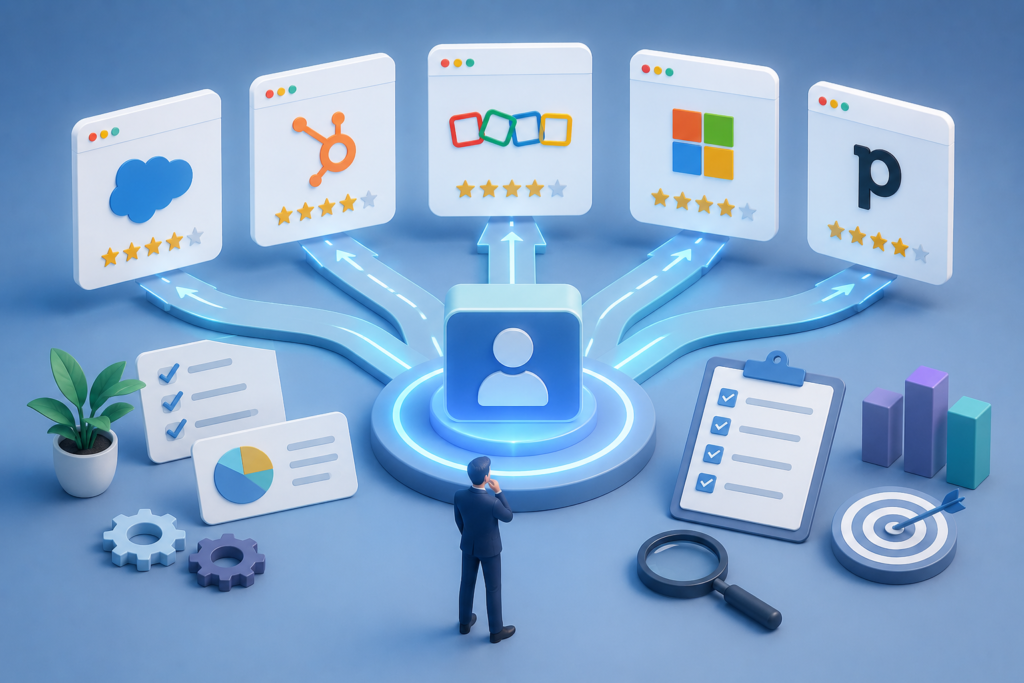
You start comparing options like Salesforce, HubSpot, and Zoho. You read feature lists, watch demos, and maybe even talk to vendors — yet the decision still feels unclear.
And that’s where most businesses go wrong.
Not because they lack options, but because they approach the decision from the wrong angle.
The best CRM is not the one with the most features.
It’s the one that fits your business the way it actually works.
In this guide, we’ll walk you through how to choose the right CRM — based on real-world implementation experience — so you don’t end up with a system your team avoids using.
Why Choosing the Right CRM Matters More Than You Think
A CRM is not just a tool you install and forget.
It becomes the foundation of how your business tracks leads, manages relationships, and makes revenue decisions.
When the CRM is right, everything feels smoother:
- Your sales team knows what to do next
- Your pipeline becomes clear
- Your data becomes reliable
But when it’s wrong, the impact is silent — and expensive.
You’ll start noticing things like missed follow-ups, inaccurate reports, and teams working outside the system. Over time, this leads to poor decisions and lost opportunities.
That’s why choosing the right CRM is less about software — and more about setting up your business for scale.
Start With Your Business- Not the CRM
Before you look at any platform, take a step back.
Ask yourself:
What exactly are we trying to fix?
In most cases, the answer isn’t “we need Salesforce” or “we need HubSpot.”
It’s something deeper:
- Leads are not tracked properly
- Sales processes are inconsistent
- Reporting is unclear
- Follow-ups are manual and unreliable
If you don’t define this clearly, even the best CRM will fail.
Because the problem was never the tool — it was the lack of clarity.
Quick Tip
If you’re currently evaluating CRMs and feel overwhelmed, it’s often helpful to map your sales process first.That alone solves 50% of the confusion.
Understanding Which CRM Fits Your Growth Stage
Not every CRM is built for every business.
The right choice depends heavily on where you are today — not where you think you should be.
Early-stage teams usually need something simple and fast. Tools like HubSpot or Zoho work well here because they are easy to set up and don’t require heavy customization.
As your business grows, your needs change. You may need better reporting, automation, and control over your processes. At this stage, both HubSpot and Salesforce can work — depending on how complex your workflows are.
For scaling organizations with multiple teams, advanced processes, and deeper customization needs, Salesforce becomes a strong option. But it also requires proper planning and ownership.
The mistake many companies make is choosing too early for where they want to be, instead of where they are today.
Salesforce vs HubSpot vs Zoho — How to Think About It
Instead of asking which CRM is “best,” ask which one aligns with your needs.
Salesforce is powerful and flexible. It’s ideal if you need deep customization and scalability. But without proper setup, it can quickly become complex and difficult to manage.
HubSpot is known for its simplicity and ease of use. It works well for teams that want quick adoption and alignment between marketing and sales. However, it may feel limiting as complexity increases.
Zoho offers a cost-effective and flexible solution, especially for small to mid-sized teams. It provides a solid feature set but may require more effort in structuring and usability.
Each tool has its place.
The real challenge is choosing based on your business — not the brand name.
What Actually Matters When Choosing a CRM
Most businesses get distracted by features.
But in reality, a few key factors determine whether your CRM will succeed or fail.
The first is usability. If your team finds the system difficult, they won’t use it consistently. And without consistent usage, even the best CRM becomes useless.
The second is how well the CRM matches your process. You don’t need a highly customized system on day one. In fact, overengineering early is one of the biggest mistakes companies make.
Automation is another important factor — but only when it simplifies work. Good automation reduces manual effort without making the system harder to manage.
Then comes visibility. Your CRM should give you clear insights into your pipeline, not overwhelm you with reports no one understands.
Finally, consider the total cost — not just the subscription. Implementation, customization, and ongoing maintenance often matter more than the license itself.
Common Mistakes Businesses Make (And How to Avoid Them)
One of the most common mistakes is choosing a CRM based purely on features.
More features don’t mean better results. In many cases, they create more confusion.
Another mistake is trying to build a perfect system from day one. The best approach is to start simple, ensure adoption, and improve over time.
Many companies also underestimate the importance of ownership. A CRM without a clear owner internally will slowly lose structure and reliability.
And perhaps the biggest mistake of all — poor implementation.
Even the best CRM can fail if it’s not set up properly.
A Simple Way to Make the Right Decision
If you’re still unsure, simplify your approach.
Focus on:
- What problem you’re solving
- What your team actually needs today
- How easy the system will be to use
- How it will scale with you
You don’t need the perfect CRM.You need the right starting point.
Many businesses reach this stage and struggle to make a confident decision.
At Sietrix Technology, we help companies:
- Evaluate the right CRM based on their business
- Avoid costly implementation mistakes
- Build systems that actually get used
If you want a second opinion before making a decision, feel free to reach out for a quick consultation.
Final Thoughts
Choosing a CRM is not about picking a tool.
It’s about building a system that supports how your business grows.
Because at the end of the day:The CRM doesn’t drive results.
The way you implement and use it does.
Want to Go One Step Further?
We’ve created a simple CRM Selection Checklist that helps you evaluate the right platform step by step.
If you’d like a copy, just reach out — we’ll share it with you.
The Rise of the Agentic Enterprise: How AI Agents Are Redefining Salesforce-Driven Businesses

Artificial Intelligence in Salesforce is no longer just about predictions, recommendations, or automation. We are entering a fundamentally new era—one where businesses are not just using AI, but operating alongside AI agents as a digital workforce.
This shift is giving rise to what Salesforce defines as the “Agentic Enterprise”—a model where humans and AI agents collaborate seamlessly to execute work, make decisions, and drive outcomes.
For businesses leveraging Salesforce, this is not just another trend—it is a structural transformation in how organizations operate, scale, and compete.
What Is an Agentic Enterprise?
An Agentic Enterprise is a business environment where:
- AI agents act autonomously across workflows
- Humans supervise, guide, and optimize outcomes.
- Work is executed through a combination of human intelligence and machine reasoning
Salesforce describes this as a future where AI agents and employees work together to unlock unprecedented productivity and innovation.
In simple terms: Your CRM is no longer a system of record—it becomes a system of execution.
Agentforce: Salesforce’s Vision for Digital Labor
At the center of this transformation is Agentforce, Salesforce’s enterprise AI agent platform.
Agentforce enables organizations to:
- Build and deploy autonomous AI agents
- Integrate them across Sales, Service, Marketing, and Commerce
- These agents are not passive assistants—they can analyze context, make decisions, and take action across systems and channels.
These agents are not passive assistants—they can analyze context, make decisions, and take action across systems and channels.
The Power Concept
A limitless digital workforce operating 24/7 inside your Salesforce ecosystem.
From Automation to Autonomous Execution
Most organizations are still thinking in terms of workflows, automation rules, and task-based efficiency. But the Agentic Enterprise moves beyond this.
| Traditional CRM | Agentic CRM |
| Manual execution | Autonomous execution |
| Rule-based workflows | AI-driven decision-making |
| Human-led processes | Human + AI collaboration |
| Static automation | Dynamic, adaptive systems |
AI agents can now:
- Interpret data context
- Plan next steps
- Execute multi-step workflows
This evolution reflects a broader shift from “prompt-response AI” to goal-driven systems capable of autonomous action.
AI Agents Across Every Business Function
The real power of the Agentic Enterprise lies in cross-functional AI agents working together.
Sales: Autonomous Pipeline Management
AI agents can qualify leads, generate personalized outreach, and update CRM records automatically.
Sales teams move from data entry → deal strategy
Customer Service: Always-On Resolution
AI agents handle customer queries instantly and resolve cases without human intervention.
Faster resolution, lower costs, better CX
Marketing: Self-Optimizing Campaigns
AI agents launch and optimize campaigns in real-time, personalizing content at scale.
Marketing becomes continuous and adaptive
The Next Leap: Multi-Agent System
One of the most important (and least understood) shifts is the move toward multi-agent collaboration. Salesforce predicts that single AI agents will become isolated and limited. Future success will require multiple agents working together across departments.
Multi-Agent Workflow Example:
- A sales agent identifies a high-value lead
- A marketing agent launches a targeted campaign
- A service agent prepares onboarding workflows
All working in sync—without manual coordination.
How to Become an Agentic Enterprise
Build a Strong Data Foundation
AI agents depend on clean, unified, real-time data.
Identify High-Impact Use Cases
Pilot in one department, measure outcomes, and scale across functions.
Introduce AI Agents Gradually
AI agents depend on clean, unified, real-time data.
Enable Cross-Agent Collaboration
Move from single agents toward multi-agent ecosystems.
Establish Governance & Monitoring
Define boundaries for AI actions, monitor performance, and ensure compliance.
Why Salesforce Managed Services Are Critical
Implementing an Agentic Enterprise requires deep Salesforce architecture expertise, data integration across systems, and AI model optimization.
- Design AI-first architectures
- Implement Agentforce at scale
- Ensure data readiness
- Continuous performance optimization
Ready to Build Your Agentic Enterprise?
AI in Salesforce is no longer just an upgrade—it’s a transformation. The real challenge is knowing where to start and how to scale effectively. At Sietrix Technologies, we help businesses design and implement AI-driven Salesforce ecosystems powered by Agentforce, Data Cloud, and intelligent automation.
Start with a Free AI Readiness Assessment
Get a clear roadmap tailored to your Salesforce environment and uncover high-impact opportunities for AI adoption.
Hello world!
Welcome to WordPress. This is your first post. Edit or delete it, then start writing!